




Hey there! As a server rack supplier, I often get asked the question, "How many cable organizers do I need for a server rack?" It's a great question, and one that doesn't have a one - size - fits - all answer. In this blog, I'll break down the factors you need to consider to figure out the right number of cable organizers for your server rack.
Understanding Your Server Rack Setup
First things first, you need to have a clear picture of your server rack setup. Server racks come in different sizes and configurations. You might be using a Server Rack Cabinet or a Structured Cabling Cabinet. The type of cabinet you choose can influence the number of cable organizers you'll need.
If you have a smaller server rack, say a 12 - U or 18 - U rack, you're likely to have fewer cables compared to a larger 42 - U or 48 - U rack. The number of servers, networking equipment, and storage devices you plan to install in the rack will directly impact the cable volume. For example, if you're setting up a small home office server rack with just a couple of servers and a switch, you won't need as many cable organizers as a large data center rack with multiple high - density servers, routers, and storage arrays.
Types of Cable Organizers
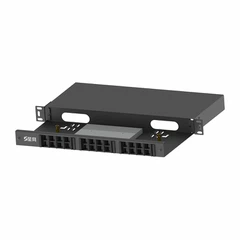
There are different types of cable organizers available, and each serves a specific purpose. One of the most common types is the Horizontal Cable Manager. These are great for managing cables horizontally, typically at the top or bottom of the server rack. They help keep cables organized as they enter or exit the rack, preventing tangling and making it easier to trace individual cables.
Vertical cable managers are another option. They run along the sides of the server rack and are used to manage cables as they move up and down the rack. Vertical cable managers are especially useful when you have a large number of cables that need to be routed from different levels of the rack.
There are also cable trays and cable ties. Cable trays are used to hold multiple cables together in a more open and accessible way, while cable ties are a simple and cost - effective way to bundle cables and keep them neat.
Calculating the Number of Cable Organizers
Now, let's get into the nitty - gritty of calculating the number of cable organizers.
Consider the Cable Density
The first step is to estimate the cable density in your server rack. Count the number of cables you expect to have in the rack. This includes power cables, network cables, fiber optic cables, and any other types of cables. A general rule of thumb is that for every 10 - 15 cables, you'll need at least one horizontal cable manager. So, if you have 50 cables in your rack, you might want to consider getting 3 - 5 horizontal cable managers.
For vertical cable managers, you'll need to think about how many levels of cables you have. If you have a tall server rack with cables running from the bottom to the top, you'll want to install vertical cable managers at regular intervals. A good starting point is to install a vertical cable manager every 6 - 12 U (rack units). So, in a 42 - U rack, you might need 3 - 7 vertical cable managers.
Future Expansion
It's always a good idea to plan for future expansion. Technology is constantly evolving, and you might need to add more servers, networking equipment, or storage devices to your rack in the future. If you think you'll be adding more cables in the next year or two, it's better to over - estimate the number of cable organizers you need now. This way, you won't have to go through the hassle of adding more cable organizers later when your rack is already full.
Equipment Placement
The placement of your equipment in the rack also matters. If you have equipment that generates a large number of cables concentrated in one area, you'll need more cable organizers in that area. For example, if you have a high - density server with multiple network interfaces and storage connections, you'll need to have enough cable organizers around it to manage all the cables.
Real - World Examples
Let's look at a couple of real - world examples to illustrate how to calculate the number of cable organizers.
Small Office Server Rack
Suppose you're setting up a small office server rack with 2 servers, a switch, and a router. You estimate that you'll have around 20 network cables and 5 power cables, for a total of 25 cables. For horizontal cable management, based on the rule of thumb of one horizontal cable manager for every 10 - 15 cables, you might want to get 2 horizontal cable managers. Since it's a small rack, you might only need 1 vertical cable manager running along one side of the rack to manage the cables as they move up and down.


Large Data Center Server Rack
Now, consider a large data center server rack with 10 high - density servers, multiple routers, and storage arrays. You expect to have around 150 network cables, 30 power cables, and 20 fiber optic cables, for a total of 200 cables. For horizontal cable management, you'll need around 13 - 20 horizontal cable managers. For vertical cable management, in a 42 - U rack, you might need 6 - 7 vertical cable managers installed at regular intervals to keep all the cables organized.
Importance of Proper Cable Management
Proper cable management is not just about making your server rack look neat. It has several practical benefits. First of all, it improves airflow in the rack. When cables are neatly organized, air can circulate more freely, which helps keep your equipment cool. Overheating can cause equipment failures and reduce the lifespan of your servers and networking devices.
Secondly, proper cable management makes it easier to troubleshoot and maintain your rack. When cables are organized, it's much quicker to identify and trace a specific cable if there's a problem. This can save you a lot of time and effort, especially in a large data center environment where every minute of downtime can cost a significant amount of money.
Conclusion
So, how many cable organizers do you need for a server rack? It depends on several factors, including the size of your rack, the number of cables, the type of equipment you're using, and your plans for future expansion. By considering these factors and following the guidelines I've outlined in this blog, you should be able to calculate the right number of cable organizers for your server rack.
If you're still not sure or if you need help with your server rack setup, don't hesitate to reach out. We're here to assist you in making the best decisions for your server rack and cable management needs. Whether you're a small business owner setting up a home office server rack or a large enterprise managing a data center, we have the expertise and products to meet your requirements. Let's start a conversation and find the perfect solution for you.
References
- Industry best practices for server rack cable management
- Manufacturer's guidelines for cable organizers