




Troubleshooting problems with an instrument panel can be a daunting task, but with the right approach and knowledge, it can be effectively managed. As a panel supplier, I have encountered various issues with instrument panels over the years and have developed a systematic way to troubleshoot them. In this blog, I will share some valuable insights and steps to help you diagnose and resolve problems with instrument panels.
Understanding the Instrument Panel
Before diving into troubleshooting, it's essential to have a basic understanding of what an instrument panel is and its components. An instrument panel, also known as a dashboard, is a collection of gauges, displays, and controls that provide information about the vehicle's or equipment's status. It includes elements such as speedometers, fuel gauges, warning lights, and control switches.
Initial Checks
When faced with a problem in an instrument panel, the first step is to conduct some initial checks. These checks are relatively simple and can often identify the root cause of the issue.
Visual Inspection
Start by visually inspecting the instrument panel for any obvious signs of damage, such as cracked displays, loose wires, or burnt components. Check for any signs of moisture or corrosion, which can also cause problems. Look for any blown fuses, as a blown fuse can disrupt the power supply to the panel.
Power Supply
Ensure that the instrument panel is receiving power. Check the battery connections and the main power supply to the panel. If the panel is not turning on at all, it could be due to a power issue. You can use a multimeter to test the voltage at the power input terminals of the panel.
Ground Connection
A proper ground connection is crucial for the correct functioning of the instrument panel. Check the ground wires for any signs of damage or loose connections. A poor ground connection can cause erratic behavior in the panel, such as flickering lights or inaccurate readings.


Diagnostic Tools
If the initial checks do not reveal the problem, it's time to use diagnostic tools. These tools can help you identify more complex issues within the instrument panel.
OBD-II Scanner
For vehicles, an On-Board Diagnostic (OBD-II) scanner can be a valuable tool. It can read diagnostic trouble codes (DTCs) stored in the vehicle's computer system, which can provide clues about the source of the problem. Connect the scanner to the OBD-II port of the vehicle and follow the instructions to retrieve the codes.
Multimeter
A multimeter is a versatile tool that can be used to measure voltage, resistance, and continuity. Use it to test the electrical components of the instrument panel, such as sensors and switches. For example, you can test the resistance of a temperature sensor to see if it is within the specified range.
Logic Probe
A logic probe is used to test digital circuits. It can help you determine if the signals in the instrument panel's digital circuits are functioning correctly. This is particularly useful when troubleshooting issues with displays or microcontrollers.
Common Problems and Solutions
Here are some common problems that you may encounter with instrument panels and their possible solutions.
Warning Lights
Warning lights are designed to alert you to potential problems in the vehicle or equipment. If a warning light is illuminated, it's important to address the issue promptly. First, refer to the vehicle's owner's manual to understand the meaning of the warning light. Then, use the diagnostic tools mentioned above to identify the root cause. For example, if the check engine light is on, an OBD-II scanner can help you retrieve the relevant DTCs.
Inaccurate Readings
Inaccurate readings on the gauges can be caused by a variety of factors, such as faulty sensors, loose connections, or calibration issues. Check the sensors associated with the gauges for proper functioning. You can use a multimeter to test the output of the sensors. If the sensors are working correctly, the problem may be with the calibration of the gauges. Some instrument panels can be calibrated using specialized software or procedures.
Display Issues
Display problems, such as a blank screen, flickering display, or pixelated images, can be frustrating. Check the power supply to the display and the connections between the display and the panel. If the problem persists, it could be due to a faulty display module. You may need to replace the display module to resolve the issue.
Specialized Panels
As a panel supplier, we offer a variety of specialized panels, such as Network Faceplate, Floor Socket Panel, and Fiber Optic Patch Panel. These panels have their own unique set of troubleshooting requirements.
Network Faceplate
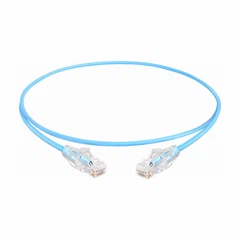
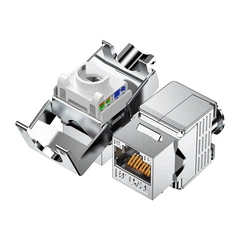
Network faceplates are used to connect network cables and provide access to network ports. If you are experiencing problems with a network faceplate, such as a loss of network connectivity, check the cable connections and the network switch. You can use a network cable tester to check the integrity of the cables.
Floor Socket Panel
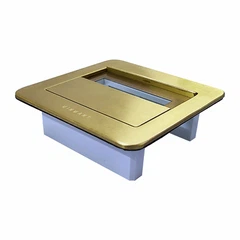
Floor socket panels are installed in the floor to provide power and data connections. Problems with floor socket panels can include loose connections, damaged outlets, or electrical shorts. Inspect the panel for any visible damage and check the connections to the power source and the data network.
Fiber Optic Patch Panel
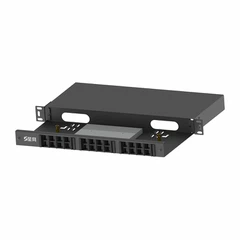
Fiber optic patch panels are used to manage fiber optic cables in a network. If you are having issues with a fiber optic patch panel, such as poor signal quality or connectivity problems, check the fiber optic cables for any breaks or bends. You can use a fiber optic tester to measure the signal strength and identify any faults in the cables.
When to Seek Professional Help
If you have followed all the troubleshooting steps and still cannot resolve the problem, it may be time to seek professional help. A professional technician has the expertise and specialized equipment to diagnose and repair complex issues with instrument panels. They can also provide you with a more accurate assessment of the problem and recommend the best course of action.
Conclusion
Troubleshooting problems with an instrument panel requires a systematic approach and the use of appropriate diagnostic tools. By following the steps outlined in this blog, you can effectively identify and resolve many common issues with instrument panels. As a panel supplier, we are committed to providing high-quality panels and supporting our customers in troubleshooting any problems they may encounter. If you are in need of instrument panels or have any questions about troubleshooting, we encourage you to contact us for further assistance. We look forward to discussing your requirements and helping you find the best solutions for your needs.
References
- Automotive Service: Inspection, Maintenance, Repair by Tim Gilles
- Electrical Engineering: Principles and Applications by Allan R. Hambley
- Network+ Guide to Networks by Tamara Dean