



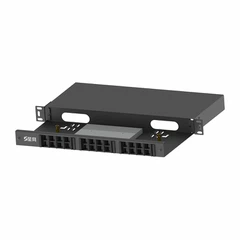

Are there blank patch panels with different port layouts?
In the realm of network infrastructure, patch panels play a crucial role in organizing and managing network connections. As a dedicated supplier of blank patch panels, I often encounter inquiries about the availability of these panels with different port layouts. In this blog post, I will delve into the topic, exploring the various port layouts of blank patch panels and their significance in different network setups.
Understanding Blank Patch Panels
Before we discuss the port layouts, let's first understand what blank patch panels are. A blank patch panel is essentially a panel without pre - installed ports or connectors. It serves as a customizable foundation for network installations. Users can choose to install different types of ports, such as Ethernet ports, fiber optic ports, or coaxial ports, according to their specific network requirements. This flexibility makes blank patch panels a popular choice for network administrators and installers.
Different Port Layouts of Blank Patch Panels
1. 8 - Port Layout
The 8 - port layout is one of the most common configurations for blank patch panels. It is suitable for small - scale network setups, such as home offices or small business networks. With 8 ports, it can accommodate a limited number of network devices, such as computers, printers, and routers. The compact size of the 8 - port panel makes it easy to install in a small rack or cabinet. For example, in a home office where only a few devices need to be connected to the network, an 8 - port blank patch panel can provide a simple and efficient solution.
2. 12 - Port Layout
The 12 - port layout offers a bit more capacity than the 8 - port layout. It is often used in medium - sized network environments, such as small departmental networks within a larger organization. This layout can support a wider range of devices, including servers, switches, and access points. The additional ports provide more room for network expansion in the future. For instance, a small department with a dozen or so computers and related network equipment can benefit from a 12 - port blank patch panel.
3. 24 - Port Layout
The 24 - port layout is a very popular choice for large - scale network installations. It is commonly found in data centers, server rooms, and enterprise - level networks. With 24 ports, it can handle a large number of network connections, allowing for the integration of multiple servers, switches, and other network devices. The 24 - port panel is usually designed to fit into a standard 19 - inch rack, which is a common form factor in network infrastructure. For example, in a data center where hundreds of servers need to be connected to the network, multiple 24 - port blank patch panels can be used to manage the connections effectively.
4. 48 - Port Layout
For extremely large network setups, the 48 - port layout is the go - to option. It offers the highest port density among the common port layouts, enabling the connection of a vast number of network devices in a relatively small space. This layout is often used in large - scale data centers and enterprise networks with high - volume network traffic. The 48 - port blank patch panel can significantly reduce the amount of rack space required for network connections, making it a cost - effective and space - saving solution.


Significance of Different Port Layouts
The different port layouts of blank patch panels are designed to meet the diverse needs of various network environments. The choice of port layout depends on several factors, including the number of network devices, the available rack space, and the future expansion plans.
- Scalability: Different port layouts allow for easy scalability. For example, a small business may start with an 8 - port or 12 - port blank patch panel and then upgrade to a 24 - port or 48 - port panel as the business grows and the number of network devices increases.
- Space Utilization: In data centers and server rooms where space is at a premium, high - density port layouts such as the 24 - port and 48 - port panels can make the most efficient use of rack space.
- Cost - Effectiveness: By choosing the appropriate port layout, network administrators can avoid over - investing in unnecessary ports or having to purchase additional panels too frequently. This helps to keep the overall cost of network infrastructure under control.
Compatibility with Different Cable Categories
Blank patch panels are compatible with different cable categories, such as Category 5e, Category 6, and Category 6A. Each cable category has its own performance characteristics and is suitable for different network speeds and distances.
- Category 5e Patch Panel: Category 5e cables are capable of supporting Gigabit Ethernet speeds up to 100 meters. A Category 5e patch panel is a cost - effective option for networks that do not require extremely high - speed data transmission.
- Category 6 Patch Panel: Category 6 cables offer better performance than Category 5e cables, with the ability to support 10 Gigabit Ethernet speeds up to 55 meters. A Category 6 patch panel is ideal for networks that demand higher data transfer rates.
- Category 6A Patch Panel: Category 6A cables are designed for even higher - speed applications, supporting 10 Gigabit Ethernet speeds up to 100 meters. A Category 6A patch panel is suitable for data centers and enterprise networks with high - bandwidth requirements.
Customization Options
In addition to the standard port layouts, we also offer customization options for blank patch panels. We understand that some customers may have unique network requirements that cannot be met by the off - the - shelf port layouts. Our team of experts can work with you to design and manufacture blank patch panels with custom port layouts, sizes, and materials. Whether you need a panel with a non - standard number of ports or a specific configuration for a specialized network application, we can provide a tailored solution.
Conclusion
In conclusion, there are indeed blank patch panels with different port layouts available in the market. These different layouts offer flexibility, scalability, and cost - effectiveness for various network setups. As a supplier of blank patch panels, we are committed to providing high - quality products that meet the diverse needs of our customers. Whether you are setting up a small home office network or a large - scale data center, we have the right blank patch panel for you.
If you are interested in our blank patch panels or have any questions about port layouts, cable categories, or customization options, please feel free to contact us for a detailed discussion. We look forward to working with you to build a reliable and efficient network infrastructure.
References
- Network Cabling Installation Handbook
- Ethernet Standards and Best Practices