



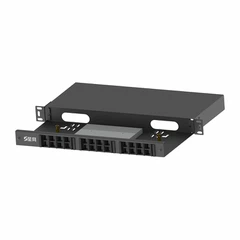

As a supplier of SC Fiber Pigtails, I understand the critical importance of ensuring the performance of these essential components in fiber optic networks. Testing the performance of an SC Fiber Pigtail is a meticulous process that requires a combination of technical knowledge, proper equipment, and adherence to industry standards. In this blog post, I will share some key methods and considerations for effectively testing the performance of an SC Fiber Pigtail.
Understanding the Basics of SC Fiber Pigtails
Before delving into the testing process, it's essential to have a clear understanding of what an SC Fiber Pigtail is. An SC Fiber Pigtail is a single, short, usually 1-meter-long fiber optic cable with an SC connector pre - installed at one end. It is commonly used to connect optical transmitters, receivers, and other network devices to fiber optic cables. The performance of an SC Fiber Pigtail can significantly impact the overall efficiency and reliability of a fiber optic network.
Visual Inspection
The first step in testing an SC Fiber Pigtail is a visual inspection. This is a simple yet crucial step that can help identify obvious physical defects. Using a fiber optic microscope, carefully examine the SC connector end - face. Look for scratches, chips, dirt, or other contaminants. Even a small particle of dust can cause significant signal loss. If any contaminants are detected, clean the connector end - face using a proper cleaning tool, such as a lint - free wipe and cleaning solution specifically designed for fiber optics.
Insertion Loss Testing
Insertion loss is one of the most important performance parameters of an SC Fiber Pigtail. It measures the amount of optical power loss that occurs when light passes through the pigtail. To measure insertion loss, you will need an optical light source and an optical power meter.
- Set up the equipment: Connect the optical light source to one end of the reference fiber, and connect the other end of the reference fiber to the input port of the optical power meter. This step is used to establish a baseline power reading.
- Connect the SC Fiber Pigtail: Disconnect the reference fiber from the power meter and connect the SC Fiber Pigtail to the power meter. The light from the source will now pass through the pigtail and into the power meter.
- Measure the power: Record the power reading on the power meter. The difference between the baseline power reading and the reading with the pigtail connected is the insertion loss. The acceptable insertion loss for an SC Fiber Pigtail typically ranges from 0.2 dB to 0.5 dB, depending on the application and industry standards.
Return Loss Testing
Return loss, also known as reflectance, measures the amount of light that is reflected back towards the source due to impedance mismatches or other imperfections in the fiber or connector. A high return loss indicates a better - performing pigtail.
To measure return loss, a more specialized piece of equipment called an Optical Time - Domain Reflectometer (OTDR) is often used. The OTDR sends a short pulse of light into the fiber and measures the back - scattered and reflected light. By analyzing the OTDR trace, you can determine the return loss at the connector and along the length of the fiber.
- Connect the OTDR: Connect the OTDR to the SC Fiber Pigtail. Make sure the connection is secure.
- Set up the OTDR: Configure the OTDR settings, such as the wavelength, pulse width, and range, according to the specifications of the pigtail and the test requirements.
- Perform the test: Start the OTDR measurement. The OTDR will display a trace that shows the return loss at different points along the fiber. The return loss at the connector should typically be greater than 50 dB for a high - quality SC Fiber Pigtail.
Bandwidth Testing
Bandwidth is another important performance parameter, especially for high - speed fiber optic networks. Bandwidth testing measures the range of frequencies that the SC Fiber Pigtail can support without significant signal degradation.
To perform bandwidth testing, you will need a network analyzer or a specialized fiber optic test set. The test involves sending a series of signals with different frequencies through the pigtail and measuring the output power at each frequency. The bandwidth is determined by the range of frequencies where the signal loss is within an acceptable limit.


Comparing with Other Fiber Pigtails
It can also be beneficial to compare the performance of an SC Fiber Pigtail with other types of fiber pigtails, such as FC Fiber Pigtail and LC Fiber Pigtail. Each type of pigtail has its own characteristics and performance advantages. By comparing the insertion loss, return loss, and bandwidth of different pigtails, you can better understand the suitability of an SC Fiber Pigtail for a particular application.
Importance of Regular Testing
Regular testing of SC Fiber Pigtails is crucial for maintaining the reliability and performance of fiber optic networks. Over time, factors such as environmental conditions, mechanical stress, and normal wear and tear can affect the performance of the pigtails. By conducting regular tests, you can detect and address any potential issues before they cause significant network downtime.
Conclusion
Testing the performance of an SC Fiber Pigtail is a comprehensive process that involves multiple steps and parameters. By following the methods described above, you can ensure that your SC Fiber Pigtails meet the required performance standards. As a supplier, we are committed to providing high - quality SC Fiber Pigtails and can offer professional testing services to our customers. If you are interested in purchasing SC Fiber Pigtails or have any questions about their performance testing, please feel free to contact us for further discussion and procurement negotiation.
References
- "Fiber Optic Test Procedures", Telecommunications Industry Association (TIA)
- "Optical Fiber Communication Systems", Gerd Keiser